Build with your AI.
Your AI builds funnels through the MCP server built into NexusFunnel. It writes free-form HTML with data-nf-* attributes and learns the rules from the server. What it creates is a draft. Publishing is up to you.
What the AI writes.
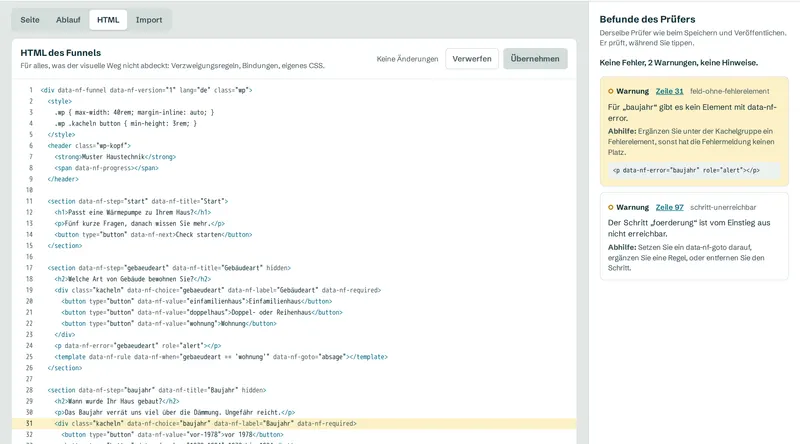
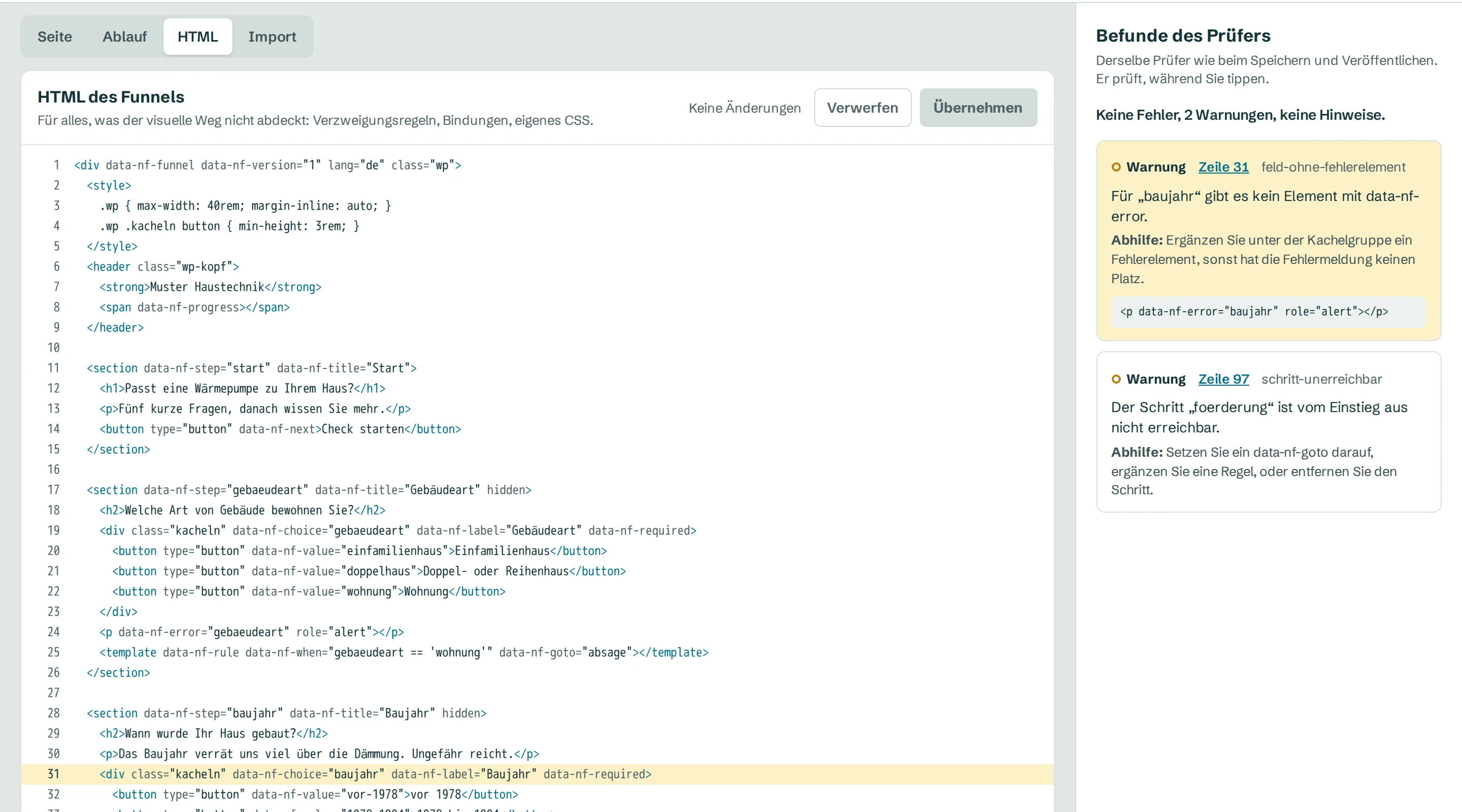
Not a block schema, but HTML the way a person would write it: with your classes, your CSS and your structure. The attributes say what a step can do. Next to this text is the teaching template the server hands to every model.
The rules arrive three ways: as the resource nexusfunnel://contract/spec, through the nf_get_guide tool for clients that do not read resources, and as the validator’s response. The server validates every draft before saving. On an error it saves nothing and names line, rule and fix.
Whether this works was measured: ten tasks in everyday language, each in a fresh Claude Code process with Sonnet, no prior knowledge. In the first run, 3 of 10 passed validation on the first attempt. What helped was not another rule but one sentence that sends the model to the block catalogue first. After that it was 10 of 10, though with the same tasks that drove the fix.
<div data-nf-funnel data-nf-version="1" lang="de">
  <style>
    .nf-step { max-width: 40rem; margin-inline: auto; padding: 1.5rem; }
    .nf-btn { min-height: 2.75rem; }
  </style>

  <section class="nf-step" data-nf-step="start" data-nf-title="Einstieg">
    <h1>Finde in 60 Sekunden heraus, ob es passt</h1>
    <button type="button" class="nf-btn" data-nf-next>Los geht's</button>
  </section>

  <section class="nf-step" data-nf-step="kontakt" data-nf-title="Kontaktdaten" hidden>
    <h2>Wie erreichen wir dich?</h2>

    <label for="f-vorname">Vorname</label>
    <input id="f-vorname" data-nf-field="vorname" data-nf-type="text"
           data-nf-label="Vorname" data-nf-required>
    <p data-nf-error="vorname" role="alert"></p>

    <label for="f-email">E-Mail</label>
    <input id="f-email" type="email" data-nf-field="email" data-nf-type="email"
           data-nf-label="E-Mail" data-nf-required>
    <p data-nf-error="email" role="alert"></p>

    <label for="f-consent">
      <input id="f-consent" type="checkbox" data-nf-field="consent"
             data-nf-type="checkbox" data-nf-label="Einwilligung"
             data-nf-required data-nf-consent>
      Ich bin mit der Verarbeitung meiner Daten einverstanden.
    </label>
    <p data-nf-error="consent" role="alert"></p>

    <button type="button" class="nf-btn" data-nf-submit>Absenden</button>
    <p data-nf-error="_submit" role="alert"></p>
  </section>

  <section class="nf-step" data-nf-step="danke" data-nf-title="Danke"
           data-nf-success hidden>
    <h2>Danke, <span data-nf-bind="vorname">schön dass du da bist</span>!</h2>
  </section>
</div>
Sign-in, step by step.
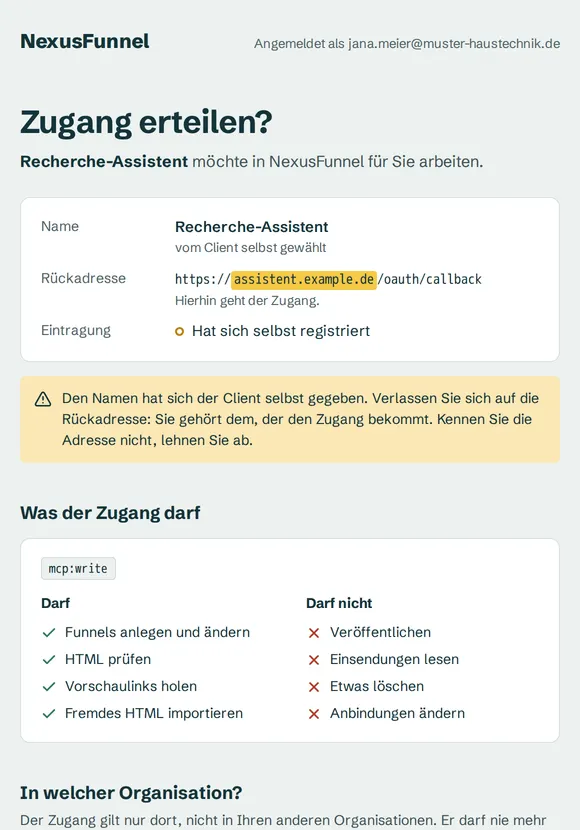
This is how a client such as claude.ai signs in when it asks for OAuth rather than a token. You copy nothing but the address.
- You enter the address.
In claude.ai or Claude Desktop under “Connectors”:
https://your-domain/mcp. - The server says where to sign in.
Without a token it answers with 401 and a pointer to its discovery documents, not with a redirect to a login page.
- The client registers itself.
It gets an identifier, but no secret. The identifier opens nothing; only your consent grants access.
- You grant or decline.
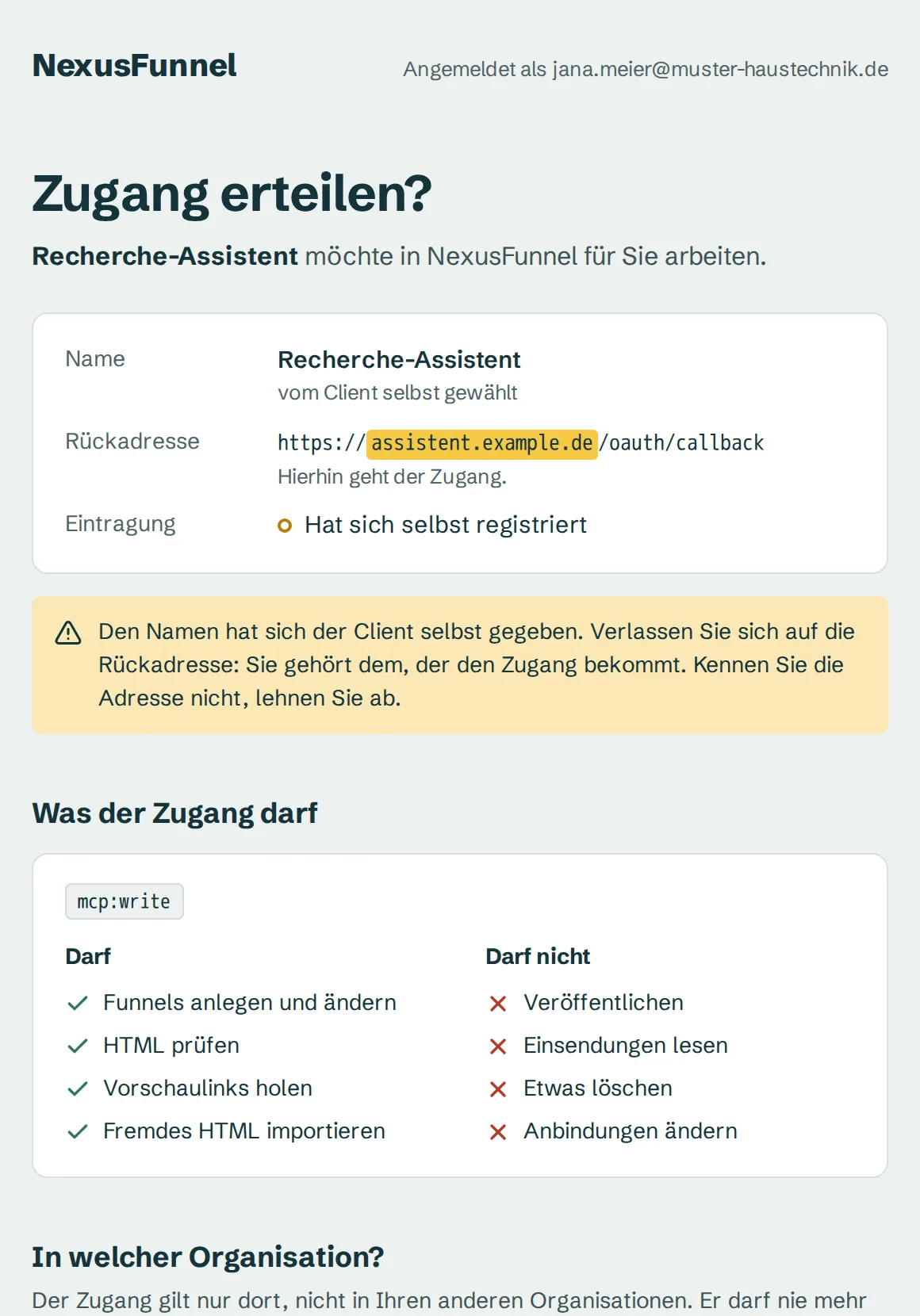
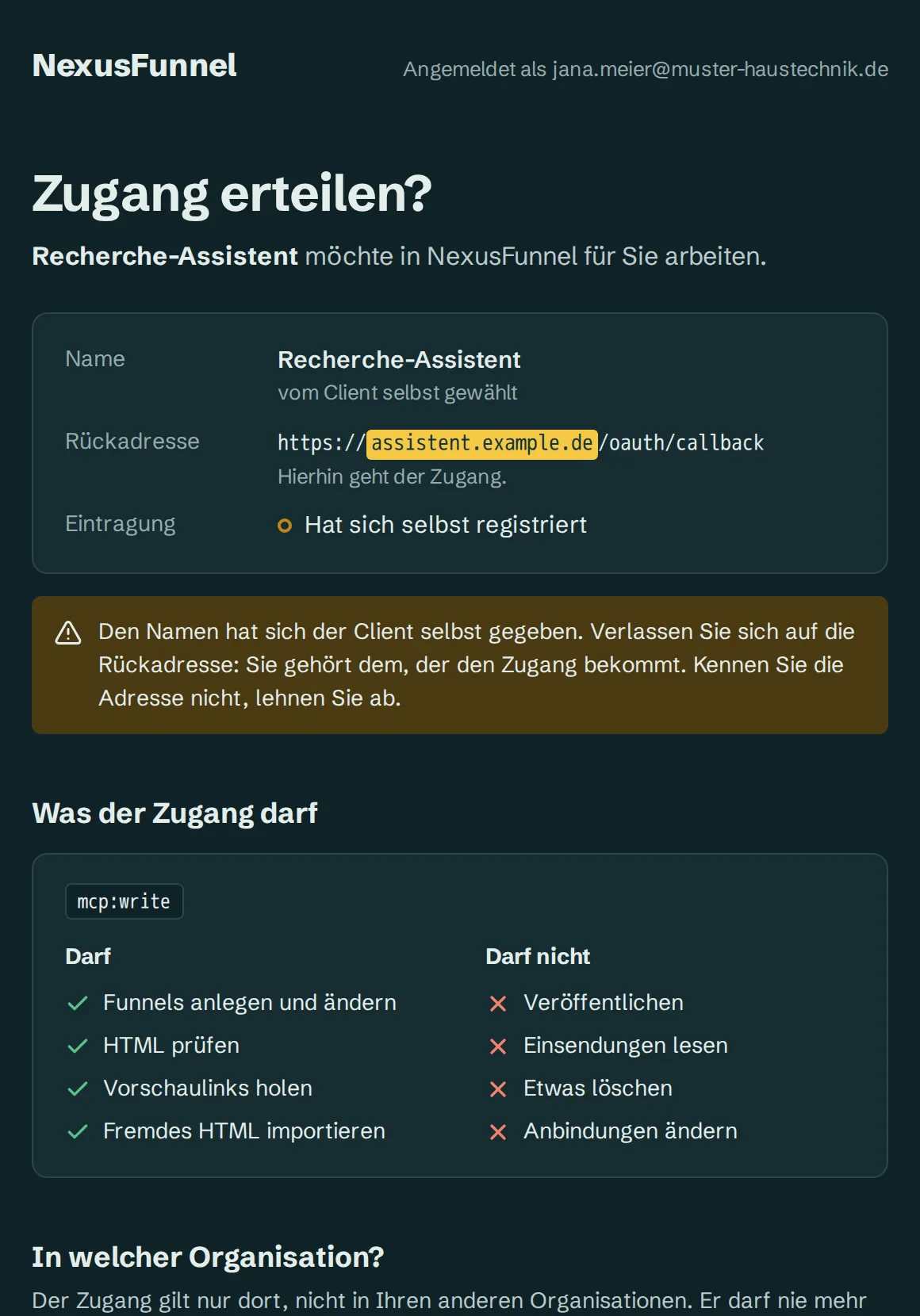
The screen names the client, noting that it chose its own name, the return address, the organisation, your role there, and for each right what it allows and what it does not. Both buttons are the same size.
- The client fetches its token.
With PKCE. An access token lasts 60 minutes, the refresh 30 days. Every refresh replaces the token; reusing an old one invalidates the whole chain.
- The AI gets to work.
It reads the guide, queries the block catalogue, validates its HTML, creates the draft and fetches a preview address for you.
POST /mcp ohne Token
  -> 401, WWW-Authenticate: Bearer realm="NexusFunnel MCP", scope="mcp:write",
    resource_metadata="<url>/.well-known/oauth-protected-resource"

/.well-known/oauth-protected-resource   -> Aussteller, scopes_supported: ["mcp:write"]
/.well-known/oauth-authorization-server -> nur S256, nur authorization_code + refresh_token
POST /oauth/register                    -> client_id, kein client_secret
GET  /oauth/authorize                   -> Zustimmungsseite
POST /oauth/token                       -> Zugriffstoken (60 min) + Auffrischung (30 d)
POST /oauth/revoke                      -> Widerruf
Run on 2026-09-18 as an end-to-end test with 22 steps against a real server, from the 401 to the tool call, including refresh and revocation of the chain.
What an AI connection may do.
A connection gets exactly one right, mcp:write. It only works in the organisation you consented for, and never beyond your own role: if you are a viewer there, the AI cannot write anything. This is checked again on every refresh. You can revoke any connection in your account.
Can
- Create and edit funnels and steps
- Create variants and write their drafts
- Validate and import HTML
- Read metrics and the jump graph, aggregated
- Read files, booking calendars and email templates
- Fetch preview addresses
Cannot
- Publish, activate or weight variants, set pixels and tags, export
- Delete funnels, steps, templates or domains
- Read submissions, uploads or bookings
- Change booking calendars
- Read or change integrations
- Read or change email rules and the SMTP account
- Use the rest of the API under /api: an OAuth token is only valid for /mcp
17 tools, no publishing.
There is no nf_publish tool. Publishing remains a decision made in the browser.
Every tool tells the client whether it only reads or changes something, so the client can ask before a change. The server speaks the current 2026-07-28 revision of the protocol alongside the older ones, so clients on an older version keep working. A token a client gets through OAuth is only valid for /mcp, not for the rest of the API.
| Tool | Purpose |
|---|---|
nf_get_guide | The conventions and examples as text, for clients that do not read resources |
nf_list_components | Query the block catalogue |
nf_validate_html | Validate HTML without saving anything |
nf_create_funnel | Create a new funnel as a draft, validated |
nf_update_funnel | Replace the HTML of a draft, validated |
nf_get_funnel | Read the HTML of a funnel |
nf_list_funnels | List the organisation’s funnels, page by page |
nf_preview_url | Signed preview address for phone or desktop |
nf_import_html | Bring in foreign HTML through the importer |
nf_list_variants | List a funnel’s A/B variants |
nf_create_variant | Create a new variant as a draft |
nf_update_variant | Write a variant’s draft; marked as destructive, because a draft switches off an active variant |
nf_get_analytics | Read metrics, aggregated only and from five sessions per cell |
nf_get_graph | A funnel’s jump graph including dead ends |
nf_list_assets | List a funnel’s files, so fonts and images point to real paths |
nf_list_calendars | Read booking calendars, without bookings and without credentials |
nf_list_email_templates | Read email templates, without rules, recipients or senders |
Setting up clients.
Whether a client speaks MCP over HTTP and where its settings live is in its own documentation. The commands here may change with new client versions.
Claude in the browser and Claude Desktop
Under “Connectors”, enter the address https://your-domain/mcp. The rest runs through the sign-in above.
ChatGPT
ChatGPT connects as a connector through the same address and the same OAuth flow. The flow has not yet been run with ChatGPT itself; it is covered by the end-to-end test above.
Claude Code
Claude Code can set headers, so it takes a token you create on the server:
php artisan funnel:mcp-token --user=sie@ihre-domain.de --organization=1 --name=claudeclaude mcp add --transport http nexusfunnel https://funnel.ihre-domain.de/mcp \
--header "Authorization: Bearer <TOKEN>" \
--header "X-Organization-Id: <ORG>"Cursor
In .cursor/mcp.json in the project or in ~/.cursor/mcp.json:
{
  "mcpServers": {
    "nexusfunnel": {
      "url": "https://funnel.ihre-domain.de/mcp",
      "headers": {
        "Authorization": "Bearer <TOKEN>",
        "X-Organization-Id": "<ORG>"
      }
    }
  }
}
A command-line token is not tied to one organisation. Whoever issues it knows what it is for.
When the visitor brings an AI.
So far this page has been about your AI building funnels. The other side is the agent in your visitor’s browser, getting a quote or booking an appointment on their behalf. A published funnel can offer that agent its steps as tools, through WebMCP.
Seven tools are offered: status, fill a field, choose an answer, next, back, free slots and submit. Each takes the same path as a click, with the same required fields, jumps and checks. Only what works in the current step is registered. The tools follow from the HTML you write anyway; there is no extra attribute.
Three things are deliberately not left to the agent. No tool can give consent; it only counts after a real click by the person. Sessions run by an agent are shown separately in the metrics, so they do not distort completion rates and A/B tests. Honeypot and captcha still apply.
Where it stands, without gloss: WebMCP is a draft from a W3C group. Chrome only offers it as a trial so far, which needs a key per domain, and other browsers do not have it. That is why it is off by default and can be switched on per organisation and per funnel, also in WordPress, TYPO3 and JTL-Shop.
Measured.
| What | Result | How it was measured | As of |
|---|---|---|---|
| AI model writes valid HTML on the first attempt | 10 of 10 tasks | Claude Code with Sonnet, no prior knowledge, MCP tools only. Before the fix: 3 of 10. Repeated on 2026-11-27 after the extension to 17 tools, again 10 of 10. The same tasks that drove the fix, so not an independent figure | 2026-09-10 |
| MCP server checked against the protocol | 239 checks, 0 failures | Revisions 2026-07-28, 2025-11-25, 2025-06-18 and older, over HTTP and through the stdio bridge; no real outside client is connected in this run | 2026-11-28 |
The sandbox is built and goes online soon.
A separate instance to try things out: one click, no sign-up, two sample funnels with metrics, wiped every night. Until it is online, the demo page shows what to expect.